Skip Navigation

Posts
9
Comments
103
Joined
1 yr. ago

  • I remember that MBAs were in hot demand during that time, specially after wasting 4 years in engineering.

  • The 2008 crisis and how the government reacted is partly why I live frugally

    I understand this sentiment. As someone who didn't see wealth during their childhood, people get confused as I still travel by public transport instead of driving. I just assume that things can go sideways at any moment. Yes, it can seem like I'm a bit paranoid, but it's not illogical.

    Thanks for sharing.

  • That's why I have a significant chunk of my little personal wealth in fixed deposit. The market is too wacky for the little guys to make any money.

  • Ask Lemmy @lemmy.world

    What was life during the previous financial bubbles?

  • Ahh, a fellow Darknet Diaries enjoyer.

    I meant it as a joke but one should be vigilant when handing out/ their personal information.

  • Nice try, FBI

  • wanted a free solution

    ends up buying a domain

    Welcome to the club, buddy!

  • Cortisol reduces empathy

    That makes a lot of sense

    People who don't take care of themselves can't take care of others.

  • I’m probably too new to be offering advice, so I’ll just pile on the encouragement. You can do it!

    That's what I need the most. This project could be a bit ambitious for me, but I'll go slow. Thanks a lot!

  • I think you have a typo here, eth1 is WAN not WLAN

    Corrected!

    When the VM goes down you can still configure the network manually on your PC and access proxmox directly

    Yes, that's why having this MGMT port is so important. Time to make some more cables :P

    This is why the hardcoded ip will still work.

    For some of the critical infra, I will probably hardcode the IP

    I saw that you added the detail that you’re also running another vm - AFAIR you could route that via the management port as well with via proxmox without added complexity.

    I've elaborated upon this in this comment in this thread. Please check and let me know your opinions.

  • I have one more doubt.

    (Nothing setup as of now, just checking all possible angles)

    Since, as per your suggestion, I have passed the NIC to OPNsense, so Proxmox won't see the dual NIC card. The onboard ethernet port eth3 is connected to a switch and Proxmox will use eth3.

    Here's a fresh diagram

    You can see that I have a Ubuntu VM. How will the PC communicate with the VM? (Links E and D are hypothetical. I don't know which one is better given my scenario). Will it be C -> B -> D or C -> A -> E?

    Case #1: C -> B -> D

    The switch must differentiate between uplink traffic/proxmox traffic/other physical devices connected to the switch (phone/TV). I prefer this solution because even if OPNsense is down, I can still access the Ubuntu server. But the switch must handle this complexity. I will be getting a managed switch anyway.

    Case #2: C -> A -> E

    The interface eth2, which OPNsense is using, must have some sort of routing table which redirects to links E or F depending upon destination IP (Probably implemented using virtual bridge or virtual switch). This is simpler for the switch but if OPNsense is down, i lose direct network access to the VM. I can probably access it via Proxmox web-interface.

    Can you tell me which one is preferred or which one you would have done?

    Sorry for my ramblings.

  • I have saved your comment and will try to implement them when setting it up. Thank you!

  • Have done something similar, you’ll discover the joy of have no internet while you do server maintenance, upgrades or disaster recovery and worst case, hardware failures.

    I may purchase another lower powered device to prevent a single point of failure, but I want to get this thing working. Sorry, too excited with Proxmox now :D Also, in the worst case scenario, I'll just use my current router while I manage my OPNsense

  • I would enable VLANs for network segments but if you either don’t have switches that support tags or are new to all of this it’s going to be WAY less headache to just use it all untagged for now. (Spend time on funner things, seriously!)

    Setting up VLANs will be my next project :D . Right now, my goal is to get this thing working.

    I have messed up my timings a bit, so the dual NIC card is on the way from Amazon. I'll post my results up here once it arrives.

  • Thanks, i may go this route.

    FYI, you might occasionally run into issues where the NIC “GUID” changes so your VM won’t be able to start.

    I think this is the same issue as a Linux host forgetting where to mount a disk since the UUID was not written in fstab.

    But why does the GUID change? Can't it be hard-coded?

  • Want setting change that requires a reboot from proxmox would result in a total lots of the network

    Did you mean a setting change in proxmox? If yes, then I understand the risks.

    Also, after the reboot does the setup comeback online automatically? Or do you need to perform some manual intervention?

  • So if you want to go that route I recommend you to use eth3 as dedicated port for proxmox.

    I need a clarification here.

    • eth1 = WAN. So it gets a public IP.
    • eth2 = LAN. So it will get a 192.168.1.1 IP (this is usually hard-coded during OPNsense setup)
    • eth3 = MGMT.
      • If this is out-of-band, that is, it will work even when OPNsense VM is down, how will it get the IP?
      • Should the IP for MGMT be hard-coded? Should it be in the same subnet or needs to be different?
      • If I want to access via MGMT, what will the routing table of the device on the other end (the desktop from which I will access Proxmox via MGMT) look like?

    If you have any resources regarding this setup, please share.

    Thank you for your response.

    Edit: Changed WLAN to WAN

  • Enable pci passthrough for the card, use the onboard interface for proxmox management.

    This is exactly what I want to do! If you have any resources which implements this, kindly share.

  • I understand completely. But I will try my best to keep the Proxmox setup as stable as possible (no unnecessary fiddling/power backup). This is mostly an experiment. I have my old router as backup as well. I just wish I had the foresight to buy a router which had OpenWRT support :(

  • Are you hosting more VMs on Proxmox that need network via a virtual switch?

    Only one more VM which will host some services (to be accessed via a reverse proxy)

    Are you providing network to other physical devices as well via a switch, so you need to output to that?

    The Proxmox is connected to a switch, and all my other devices (other servers/PC/access point) are connected to this switch. Ideally, these services will connect to the OPNsense VM and get IP via DHCP from OPNsense.

    Do you want OPNsense to be your gateway and assign IPs, or do you have a router?

    OPNsense should be my public facing gateway, similar to what my current router (TP-Link) is doing. Currently, my router is connected to an ISP GPON. But it seems the GPON acts only as a fiber to ethernet converter. I use my ISP provided credentials on my ROUTER to authenticate with my ISP (via PPPoE)

    As you have 3 NICs and sound like you want to use them, let’s assume you aren’t doing RoaS, but this could all be done on one (very busy) NIC.

    RoaS? Router as a Service? I have no idea. I want to the 3rd port, but if you feel like this is a bit complicated, I can leave it for now, provided I don't incur a heavy penalty for using the LAN port for traffic and Proxmox management.

    And … you can do this!

    Thank you, I needed that! I am just starting out with Proxmox and OPNsense and it seems a bit overwhelming. I am trying to start out small. In case everything blows up, I still have my old TP-Link router.

    PS: Please check the original post as I have added a diagram regarding what I want to do.

  • Selfhosted @lemmy.world

    Setting Up OPNsense on Proxmox: Doubts regarding NIC setup

  • Ask Lemmy @lemmy.world

    What are your opinions on regular drinking?

  • Selfhosted @lemmy.world

    Wireguard is working differently on Linux compared to Android

  • Technology @lemmy.world

    Asus and Dell announce new mini PCs for Windows 365 | Goodbye local OS
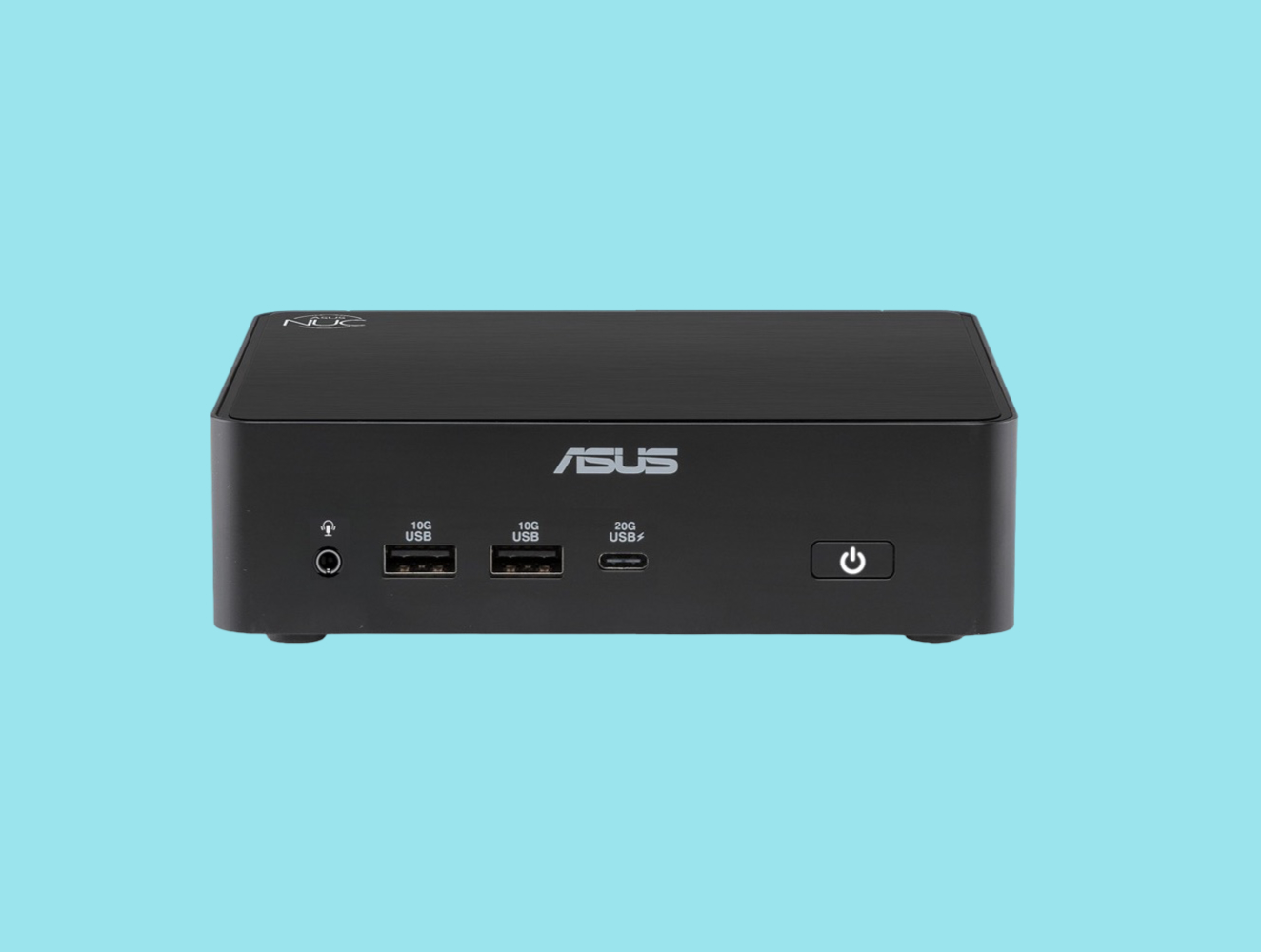
    www.notebookcheck.net /Asus-and-Dell-announce-new-mini-PCs-for-Windows-365.1236853.0.html
  • Selfhosted @lemmy.world

    Mini PC to replace fiber modem and wifi router. How to proceed?

  • Selfhosted @lemmy.world

    Caddy reverse proxy fails with a login page

  • Selfhosted @lemmy.world

    Cloudflare Tunnel: proxy-dns Command Removal 2026 | What are some nice alternatives to encrypted DNS?

    mwpro.co.uk /blog/2025/11/11/cloudflare-tunnel-cloudflared-proxy-dns-command-will-be-removed-starting-february-2-2026/
  • Technology @lemmy.world

    Lazarus Group’s IT Workers Scheme Hacker Group Caught Live On Camera

    cybersecuritynews.com /lazarus-groups-it-workers/